Thursday, August 2, 2018

Testing Honor’s GPU Turbo Update

We got an early OTA for Honor's upcoming GPU Turbo update. Honor claims that this update will give you a 60% boost in gaming performance. This will provide higher frame rates, smoother gameplay, and a better overall performance. GPU Turbo also helps to save battery. Your phone will consume around 30% less battery power when gaming.

To put this to the test, we played a round of PUBG on an Honor 10 without the GPU Turbo update, followed by an Honor 10 with the GPU Turbo update. All specs were the same across both phones.

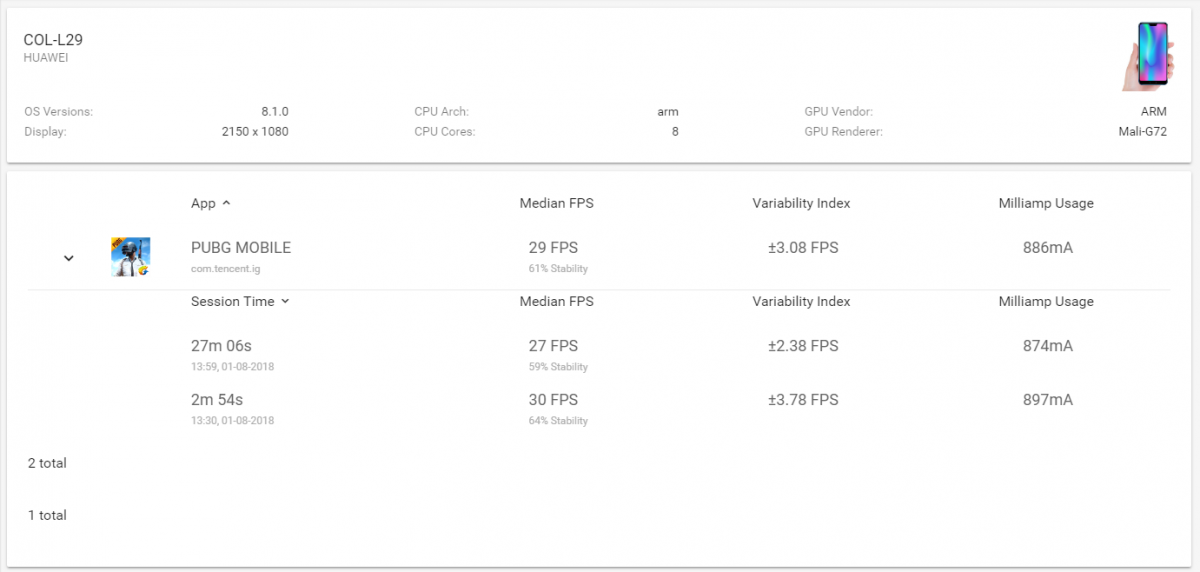
We used GameBench to monitor the the performance of the gameplay across both devices. Here are the results.

PUBG Stats Honor 10 (no GPU Turbo) Honor 10 (With GPU Turbo)
Median FPS 29 FPS 32 FPS
Variability Index 3.08 FPS 1.38 FPS
Stability 61% 94%

GameBench Results for Honor 10 without GPU Turbo Update

GameBench Results for Honor 10 with GPU Turbo Update

Performance had a noticeable improvement with the GPU turbo update, while maintaining a much higher and more consistent frame rate.

Right now only a select few games are compatible with the GPU Turbo feature. These games include PUBG, Mobile Legends, and Asphalt 9. Hopefully more games will be added to the list in the future.

Honor plans on pushing this update out to all Honor 10 users on the August 3rd.


from xda-developers https://ift.tt/2vaOdoT
via IFTTT

Wednesday, August 1, 2018

Samsung Galaxy On8 launched in India as Flipkart exclusive

Samsung Galaxy On8

The latest market share reports from Canalys and Counterpoint Research indicate that Samsung has caught up with, or surpassed Xiaomi to become the largest smartphone vendor in India. Samsung's budget phones aren't competitive with Xiaomi's phones in terms of specifications, but they still do well in terms of sales. Recently, the company launched the Samsung Galaxy J6, Galaxy J8, Galaxy A6, and the Galaxy A8+ in India. Then, the Galaxy On6 was launched as a Flipkart exclusive. The phone turned out to be a re-brand of the Galaxy J6. Now, Samsung has launched the Samsung Galaxy On8, and similarly, it is a re-brand of the Galaxy On8.

The Galaxy On8 will be available from August 6 via Flipkart and Samsung Online Shop in India for ₹16,990 ($247), which makes it ₹1,000 cheaper than the Galaxy J8 (even though both phones have the same specifications). Launch offers include special data offers, although no details were provided. In terms of specifications, the phone is a fairly standard Samsung "mid-range" (budget) phone as it's powered by the Qualcomm Snapdragon 450 system-on-chip. The same chipset powers phones such as the Overall, it won't compete in the value segment against phones such as the Xiaomi Redmi Note 5 Pro, Asus ZenFone Max Pro M1, and the Realme 1.

The dual camera setup has Samsung's Live Focus feature, which is the company's implementation of portrait mdoe. The secondary 5MP camera is a depth sensor. In terms of camera features, the Galaxy On8 comes with three new features: Background Blur Shape, Portrait Dolly, and Portait Backdrop.

Samsung Galaxy On8Other software features include the "Made for India" Chat over Video feature that allows users to have an "uninterrupted" video viewing experience while chatting. It has a transparent keyboard that lets users continue watching a video while chatting.

Like other Samsung budget phones, the Galaxy On8 comes with Samsung Mall, another "Made for India" feature that lets users shop by taking a photo of a product and automatically getting results for the item across popular e-commerce platforms.

The Galaxy On8 has a polycarbonate unibody design. It's the best Samsung offers in this price segment, but we wish Samsung would go ahead and release a real competitor in the value smartphone segment.

Samsung Galaxy On8 Specifications
Dimensions and weight 159.2 x 75.7 x 8.2 mm, 191g
Software Samsung Experience on top of Android 8.0 Oreo
SoC Octa-core Qualcomm Snapdragon 450 (8x ARM Cortex-A53 cores clocked at 1.8GHz); Adreno 506 GPU
RAM and storage 4GB of RAM with 64GB of storage; dedicated microSD card slot
Battery 3,500mAh
Display 6-inch HD+ (1480×720) Super AMOLED with 18.5:9 aspect ratio
Connectivity Wi-Fi 802.11b/g/n, Bluetooth 4.2
Ports microUSB port, dual nano SIM slots, 3.5mm headphone jack
Bands GSM: 850/900/1800/1900MHz
WCDMA: 850/900/1700/1900/2100MHz
FDD-LTE, TDD-LTE
Rear camera 16MP with f/1.7 aperture, 28mm field-of-view
5MP depth sensing camera with f/1.9 aperture
Video recording up to 1080p at 30fps
Front-facing camera 16MP with f/1.9 aperture, LED flash

Source: Samsung


from xda-developers https://ift.tt/2LQBvFB
via IFTTT

[Hands on] Google Podcasts starts getting Android Auto integration

Google Podcasts

Google introduced podcast support to the Play Music app two years ago, but last month the company introduced a revamped podcast experience that's integrated into the Google Assistant and Google Home. There's also a "dedicated" app on the Google Play Store which is actually just a shortcut to the Google App. Listening to podcasts can be a great way to pass time while driving, but if you use the Android Auto app then you've probably noticed that you can't control podcasts unless you started playing the podcast before launching Android Auto. Even then, you're just limited to the standard playback controls for the currently playing podcast and can't quickly switch to your other downloaded podcasts. That'll change soon, however, as Google is testing an integration between Google Podcasts and the Android Auto app.

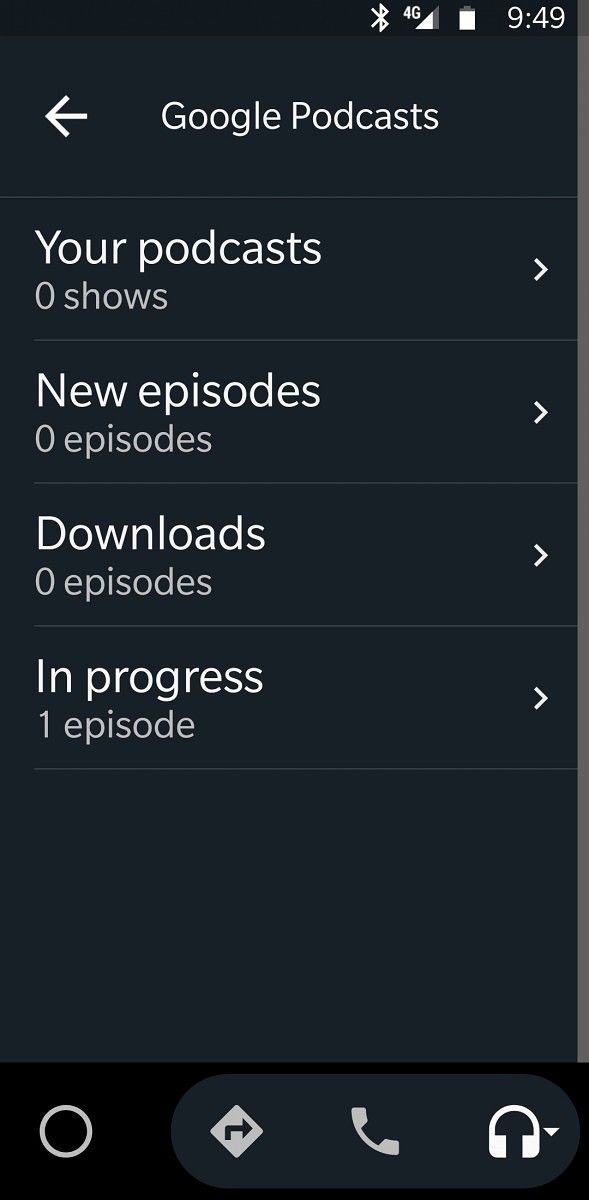
Discovered by XDA Recognized Developer Quinny899 and enabled by us, you'll be able to access your podcasts by selecting the "Google" option in the media section of Android Auto. Expand the sidebar and you'll find 4 options:

  • Your podcasts
  • New episodes
  • Downloads
  • In progress

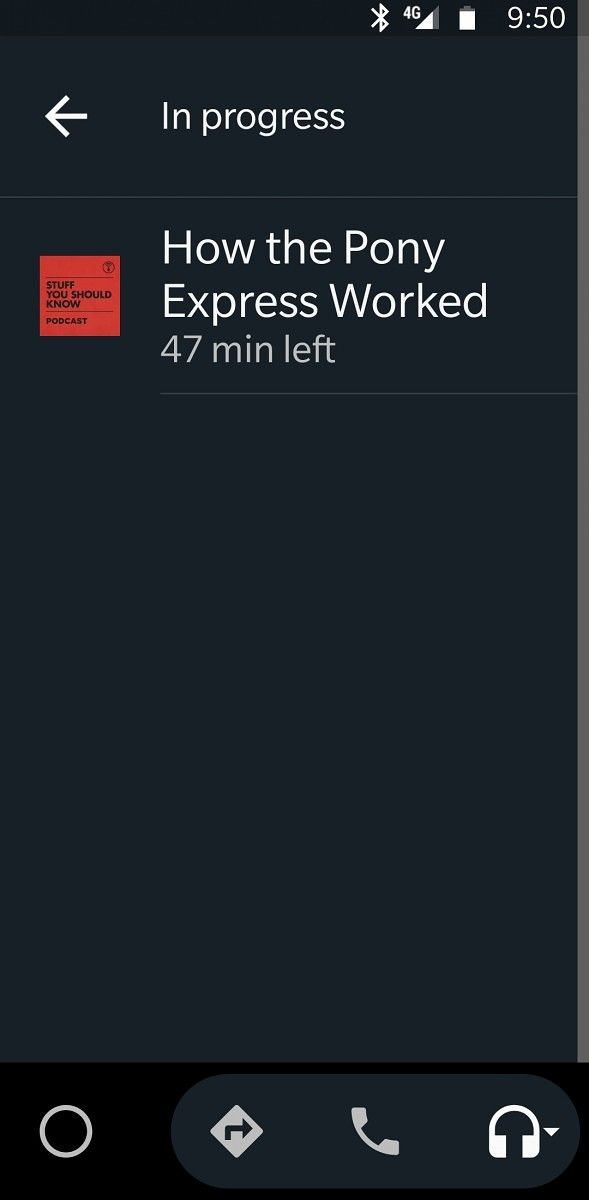
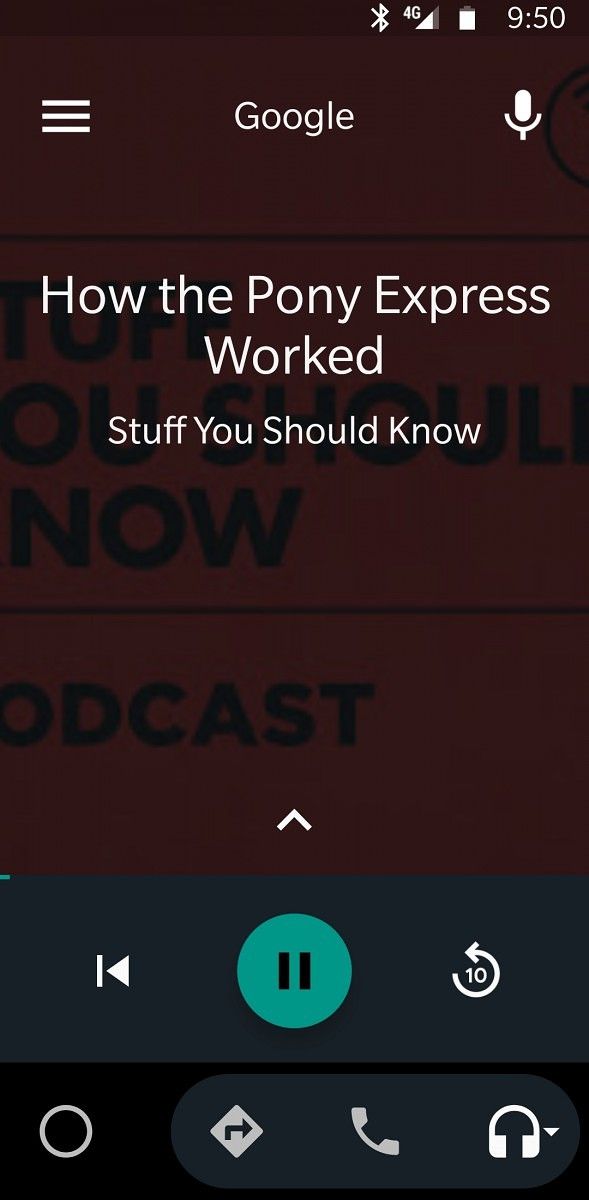
You can quickly find the podcast you want to play, launch it, and then use the built-in media controls to control playback without ever leaving the Auto app. You have the option to play, pause, skip to the previous podcast, rewind 10 seconds, or rewind 30 seconds. The screenshots below show the new interface.

Google Podcasts Android Auto support Google Podcasts Android Auto support Google Podcasts Android Auto support Google Podcasts Android Auto support Google Podcasts Android Auto support

Once the feature begins rolling out, you'll need the latest version of the Google App and the Android Auto app to take advantage of it. The Google Podcasts app will also come in handy if you would rather not navigate through a few menus to access your podcasts. You can download the latest versions of each application from the Google Play Store links embedded below.

Google (Free, Google Play) →

Android Auto - Maps, Media, Messaging & Voice (Free, Google Play) →

Google Podcasts (Free, Google Play) →

We'll update this article when the feature rolls out for more users.


from xda-developers https://ift.tt/2n64jMe
via IFTTT

Google Camera app shows up on some Chromebooks like the Pixelbook

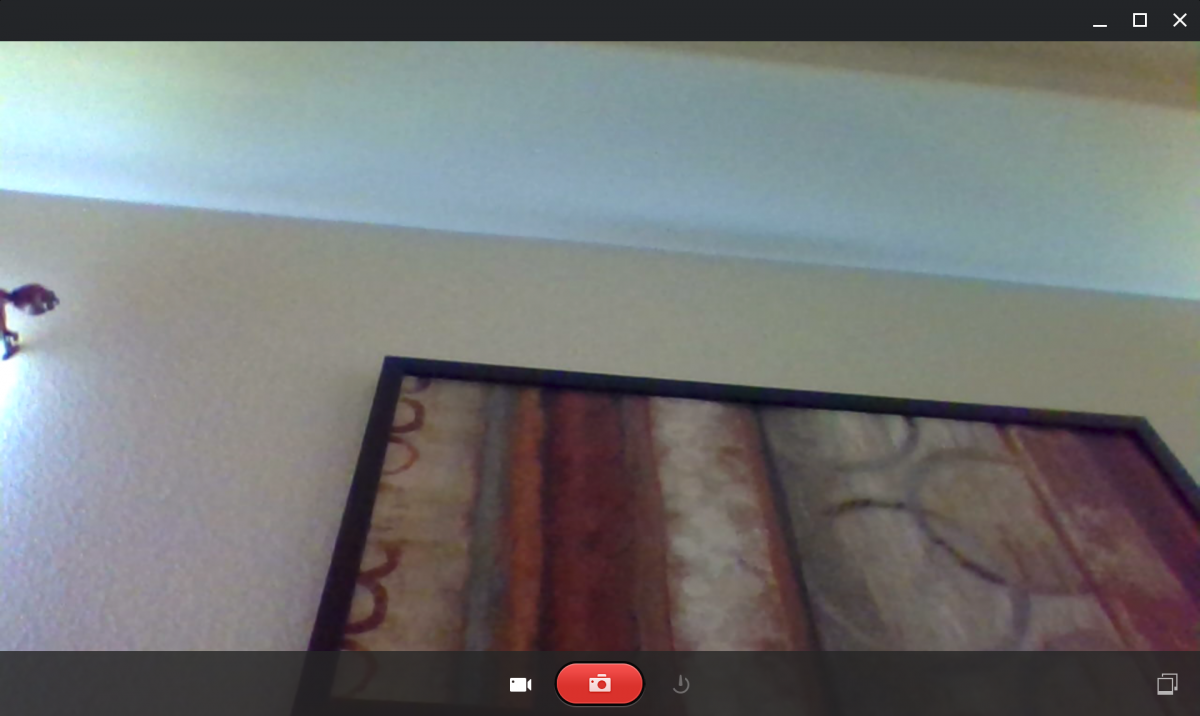
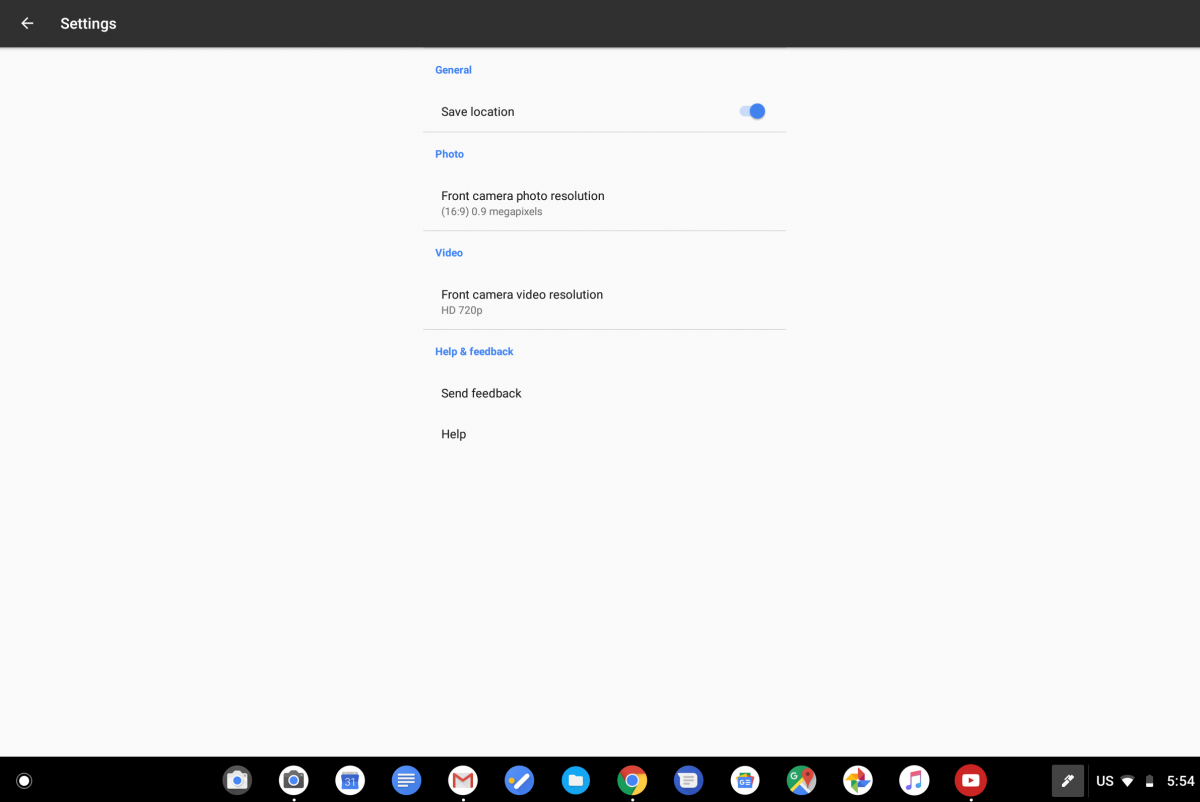
Google Camera Chromebook Google Pixelbook

The Google Pixel smartphones owe much of their camera prowess to the excellent software behind the Google Camera app. The camera app's HDR+ and Portrait Mode features make the Google Pixel a top-tier smartphone in terms of picture performance, and it's why everyone wants to see the app ported to their smartphone. In comparison, the camera quality on most Chromebooks, even the high-end Google Pixelbook, is abysmal. But Google may be looking to change that as some users noticed that the Google Camera app is showing up on their Chromebook.

A few users on Reddit noticed that the latest Chrome OS Dev channel update mysteriously added a second camera app icon. For most users, both icons open the same old camera app. For one user on the Google Pixelbook (/u/SlideReadIt), however, the new app icon opens up the Google Camera app from Android.

Google Camera app on Chromebooks like the Google Pixelbook

Left: Old Camera app. Right: Google Camera app.

Google Camera Chromebooks like the Google Pixelbook Google Camera app on Chromebooks like the Google Pixelbook Google Camera app on Chromebooks like the Google Pixelbook

We decided to search the Chromium Gerrit to see which commit is responsible for this new addition. We found a relevant commit that "creates a persistent camera icon in launcher." The description further states that, when this new icon is clicked, whether the stock Chrome OS camera app or the Google Camera app is opened will be "determined dynamically." An accompanying bug report states that the Google Camera app will open on Chromebooks that support ARC++ (Android apps) and have completed the Chrome OS camera app migration. Presumably, this means that only the Google Pixelbook (eve) meets both of these requirements so far, which is why only the Pixelbook is able to launch the new camera app.

Google Camera Chromebooks like the Google Pixelbook Google Camera Chromebooks like the Google Pixelbook

We assume that the old camera app icon will disappear at a later date as it will be replaced by the new app icon that dynamically launches either the Chrome OS camera app or the new Google Camera app. We don't know if this port of the Google Pixel camera app will bring features like HDR+ or Portrait Mode. We think that this new camera app could be for the upcoming Google Pixelbook (2018) since the existing Google Pixelbook doesn't have a rear-facing camera.


from xda-developers https://ift.tt/2AxIfDL
via IFTTT

YouTube Music to support SD cards, new album sort options, quality selection, & more

youtube premium youtube music google play music

It's no secret that Google is pushing YouTube Music as a successor to Google Play Music, with plans to merge the two at some point. In that scenario, YouTube Music would actually replace Google Play Music. According to a report from Engadget, Google has a lot more features to add to the platform to make the switch more enticing. That includes SD card support, new album sort options, quality selection, and more ways to separate your regular YouTube viewing from your YouTube Music.

One would argue that all of these features should have been launched with the platform, but they're apparently "firmly on the roadmap." While it's exciting that it will finally work as a proper music player, it does leave you wondering what exactly Google was thinking. Quality options are a must for those with limited storage or data plans, and limited storage applies in the case of SD cards too. SD card support is already starting to roll out, while quality options will be made available in the coming weeks. Also, you can finally actually sort your albums more than just by "recently added." Google has been putting YouTube Music on the back-burner somewhat, with Google Clock gaining support for Spotify before any of the company's own music streaming services.

But on top of that, there are some regular YouTube improvements as well. When you followed an artist from within YouTube Music, you were automatically subscribed to said artist. There's no actual way to filter those from your YouTube homepage either. Well, not yet anyway. According to Elias Roman, a product manager for YouTube Music, this could be fixed in the future via the addition of a drop down to filter out followed artists. Google feels that integrating the two services is the way to go though, so you'll have to do that yourself. By default, you'll see followed artists on YouTube Music in your subscription box.

"We basically got to a point where we felt like what we had was good, ready to see the light of day," said Roman of YouTube Music's launch. "But there is still a ton of work to do… it's a constant iteration."


Source: Engadget


from xda-developers https://ift.tt/2OAu6sw
via IFTTT

Lenovo VP promises world’s first 5G smartphone with Snapdragon 855

The Vice President of Lenovo is a man named Chang Cheng, and he, like many important figures in China, has his own Weibo account. Weibo is the essentially the Twitter of China and it's where a lot of leaks come from when the device is in the country. The man recently made an announcement on the Chinese social network, which has since been deleted, claiming a new milestone for the smartphone industry. If true, he states the world's first 5G smartphone will come from Lenovo. It will feature the Snapdragon 855 chipset from Qualcomm, and then encourages the people who want to know more to visit a conference.

Much like the race to having a smartphone with the best photography, the best looking, and the thinnest bezels, many are now racing to see who will be the first one to release a smartphone capable of 5G connectivity. The specification for 5G was made final late last year by the 3GPP. This leaves the next step up to the silicon vendors and we've already had reports from Samsung that they're working on a 5G modem and Qualcomm has announced the Snapdragon 855 will feature the SDX50 5G modem.

When those are ready, it is up to the smartphone manufacturers to see who can get something on the market the quickest. ZTE has announced that their current plans are to launch a 5G smartphone in the United States in early 2019. OnePlus has also talked about how they are working on bringing a 5G smartphone to the United States sometime in 2019. However, the recent Weibo message from Chang Cheng claims that Lenovo will beat everyone to the table as he says the world's first 5G smartphone will sport the Snapdragon 855 from Qualcomm and that it will be from Lenovo.

So, this is where things get sticky. Lenovo has made a lot of promises in the past and they seem to always find a way to mess things up. They promised that Motorola would work independently and everything would be the same, but then they ended up selling their building in Chicago. Then it was only two months ago when they teased their next smartphone would have a full front screen display without any bezels on the top, bottom, left, or right. But a month later when they officially announced the Lenovo Z5, it still had a notched forehead and didn't look anything like the sketch he uploaded to Weibo.

So, I will say believe what you will from Lenovo's Vice President Chang Cheng, but I am certainly not going to be holding my breath on this one.


Via: VentureBeat


from xda-developers https://ift.tt/2M8HZwg
via IFTTT

Samsung Galaxy Tab A 10.5″ announced as a budget-friendly Android 8.1 Oreo tablet

Samsung Galaxy Tab A 10.5 announced as a budget-friendly Android 8.1 Oreo tablet

Just like their presence in the smartphone market, Samsung wants to dominate the tablet market as well. While others have seemingly stopped making tablets due to falling sales, Samsung has yet to give up. The company launched their first Galaxy Tab tablet back in 2010 and since then it has evolved into multiple series of devices at different price points. The Galaxy Tab A first released in 2016 and the company has continued making successors of this series since then. Today, the South Korean conglomerate announced the 2018 version of the Galaxy Tab A 10.5-inch along with the Samsung Galaxy Tab S4. It promises "high-quality entertainment features" and "a budget-friendly price."

Just as the name of the device indicates, the Galaxy Tab A 2018 comes with a 10.5-inch display. Samsung has saved a little money on this product by using less expensive display technology as it is a TFT LCD panel at a 1,920 x 1,200 resolution. Inside, Samsung has opted to go for a chipset from Qualcomm rather than something in their Exynos collection. We see that the Galaxy Tab A 10.5 has the Qualcomm Snapdragon 450 SoC. This chip has 8 1.8 GHz Cortex-A53 cores, the Hexagon 546 DPS, and the Adreno 506 GPU, all built on a 14 nm LPP process.

The Galaxy Tab A 10.5 has an efficient amount of RAM at 3GB, and while there is only 32GB of internal storage, at least it can be expanded up to 400GB with a microSD card. Tablet lovers who like to be mobile will enjoy the LTE Cat.6 speed, but there will also be a WiFi version for those who don't need that. A big feature for these types of devices is battery size and Samsung has been able to fit in a 7,300mAh capacity battery inside the 2018 Galaxy Tab A 10.5.

Samsung Galaxy Tab A 10.5'' Product Specifications

DISPLAY 10.5" WUXGA (1920×1200) TFT LCD
CHIPSET Qualcomm® Snapdragon™ 450 Octa Core (1.8GHz)
LTE SUPPORT LTE Cat.6
MEMORY 3GB + 32GB, microSD up to 400GB
CAMERA 8MP AF + 5MP with Flash
PORT USB 2.0 (Type C)
SENSORS Accelerometer, Compass, Gyroscope, RGB, Hall Sensor
WIRELESS CONNECTIVITY Wi-Fi 802.11 a/b/g/n/ac, Wi-Fi Direct, Bluetooth® 4.2
GPS GPS + GLONASS + BeiDou3
DIMENSION, WEIGHT 260.0 x 161.1 x 8.0
529g (Wi-Fi), 534g (LTE)
BATTERY 7,300mAh
OS/UPGRADE Android 8.1
VIDEO Recording: FHD @ 30fps
Playback: FHD @ 60fps


Source: Samsung


from xda-developers https://ift.tt/2M6x1aM
via IFTTT